

Presence Provider
This feature is only available for Sendent for Outlook -premium, -plus plan or onwards. And only works within Outlook Classic on the Windows platform.
Overview
Microsoft Office can show whether someone is available (online, busy, away) and let users start a chat or call directly from Outlook. It does this by connecting to a Nextcloud, where we can retrieve user-information and display it in Outlook.
In practice:
Outlook shows presence next to contacts (or if you hover a contact).
Users can start a chat or call directly from Outlook
The communication itself happens with your Nextcloud instance.
How does it look like?
In case you go to a contact in Outlook, or hover/click on a contact in Outlook, it will be presented with information of that user if they’re available on your Nextcloud instance.
That way Outlook is enriched with user information that exists within Nextcloud. The primary target audience is for internal Nextcloud users who rely on Nextcloud, yet their daily usage still involves Outlook.
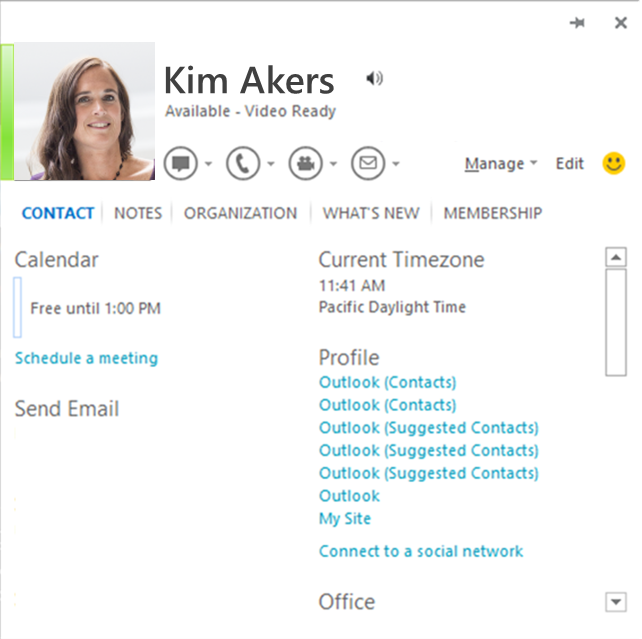
This image indicates what could be enriched from Nextcloud and displayed within the Outlook contact.
Installation
Within the Sendent for Outlook MSI installer, there’s now the option from v5.0.0 and onwards to enable the ‘Presence Provider Module’, this is on the same page as available to set your default Nextcloud server URL.