

Migrate M365 authentication flow
Action required: Update Microsoft authentication for Sendent for Outlook (cross-platform)
If you’ve been using Sendent for Outlook cross-platform (New Outlook, macOS, or Outlook on the web), you need to update your Microsoft 365 authentication settings. Follow the steps below to migrate existing users.
To improve compatibility with Microsoft 365’s evolving authentication flow, follow this guide to update your existing Azure app registration (portal.azure.com) so it aligns with our latest changes.
Modify your app-registration
Locate your Sendent for Outlook Cross-Platform app-registration, in the documentation we name it sendent-outlook.
Modify Authentication
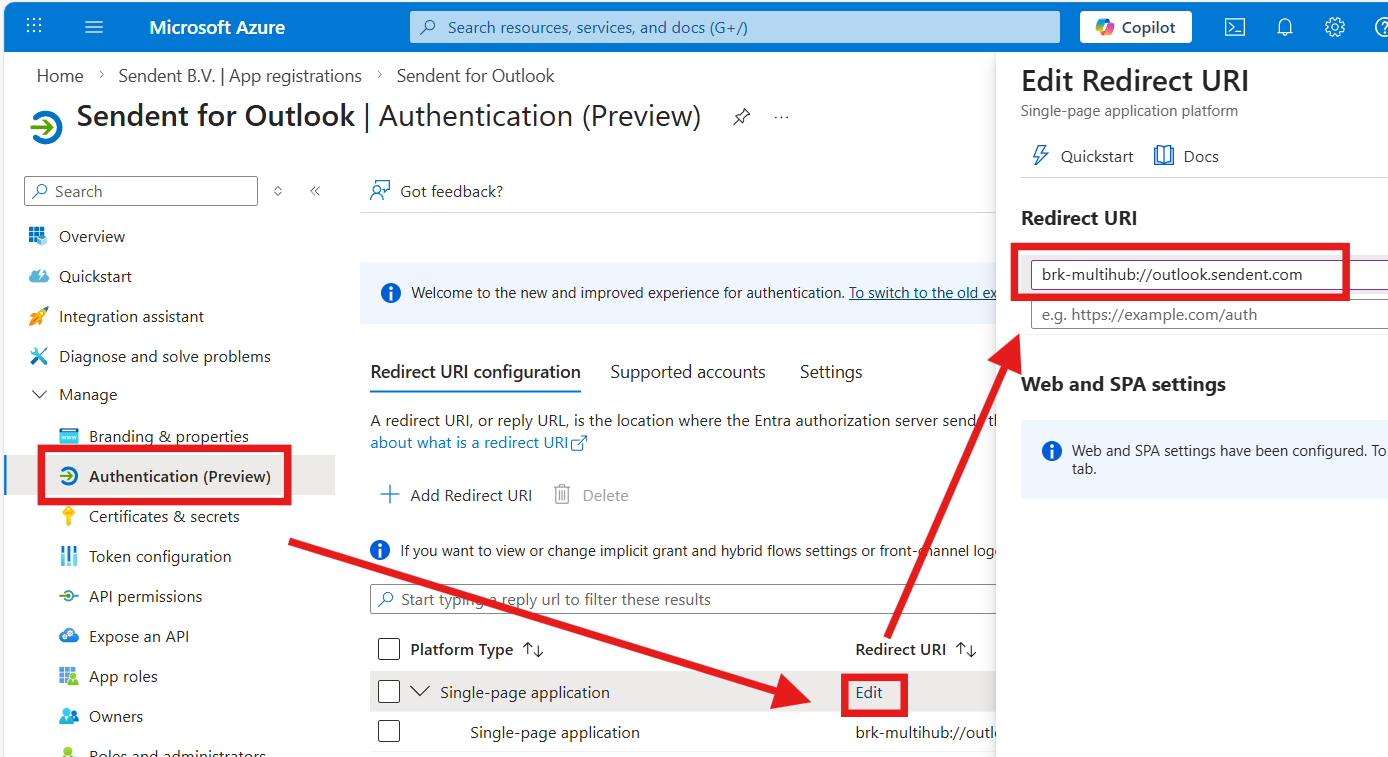
In your app-registration, navigate to “Authentication (Preview)”, here “Edit” your existing Single-page application and modify it as:
Redirect URI needs to be replaced to brk-multihub://{YOUR_HOST_DOMAIN} for example, if the Sendent for Outlook container is hosted at outlook.sendent.com, the value would be brk-multihub://outlook.sendent.com .
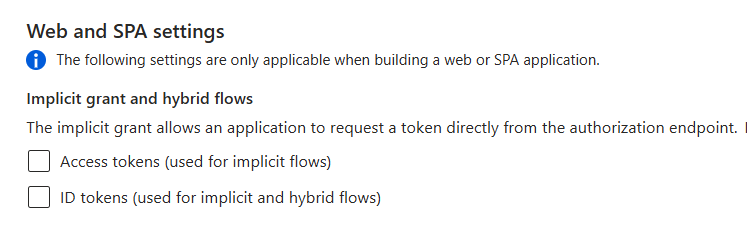
Under the tab “Settings”, within the Authentication menu, you can uncheck:
Modify the API permissions
In your app-registration, navigate to “API permissions”, here add the following entries to the existing ones.
Permission |
|---|
offline_access |
openid |
profile |
Full overview:
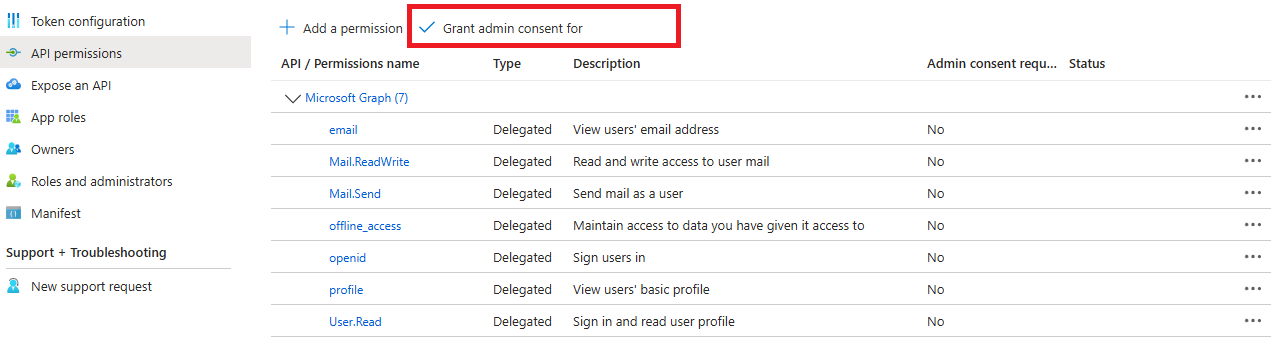
At the very end ensure to “Grant admin consent”.
Change variable Sendent for Outlook container.
To maintain compatibility with existing deployments, Sendent for Outlook now requires a new authentication mode in the container configuration. This is controlled via an environment variable.
If your deployment currently uses:
MS_AUTH_TYPE=naa
you must change it to:
MS_AUTH_TYPE=naa_silent
If you use docker-compose.yml, update the environment variable as shown below. If you inject environment variables through other means (Kubernetes, Portainer, .env, etc.), apply the same change there.
Before (old):
...environment: - MS_AUTH_TYPE=naa...After (new):
...environment: - MS_AUTH_TYPE=naa_silent...After applying the change, restart the container so the new setting is picked up.