

(Awaiting Approval) Configuring Your License
The Nextcloud Exchange Connector requires a valid license key to activate its features and define your user synchronization limits. Without a valid license, the background worker will reject synchronization requests.
First Time License Configuration
Log in to your Nextcloud instance as an administrator.
Navigate to your Administration settings.
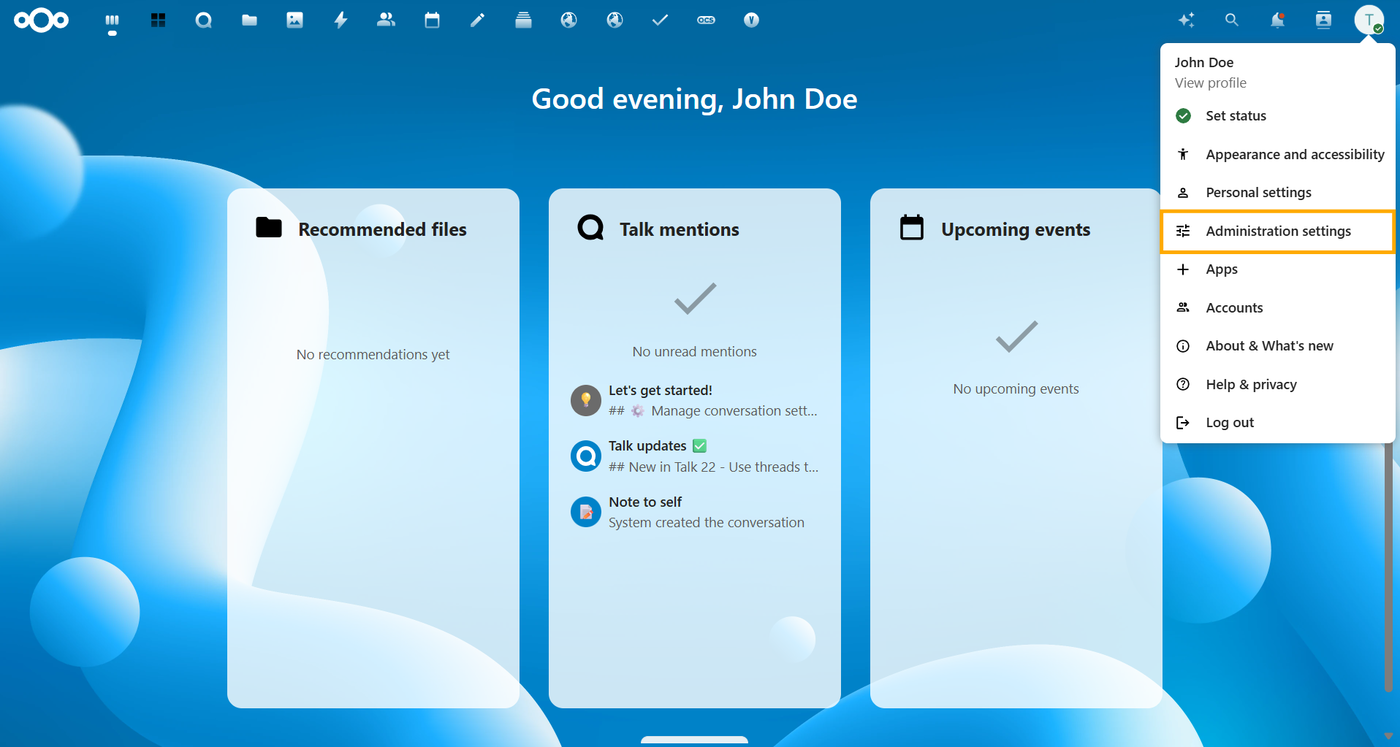
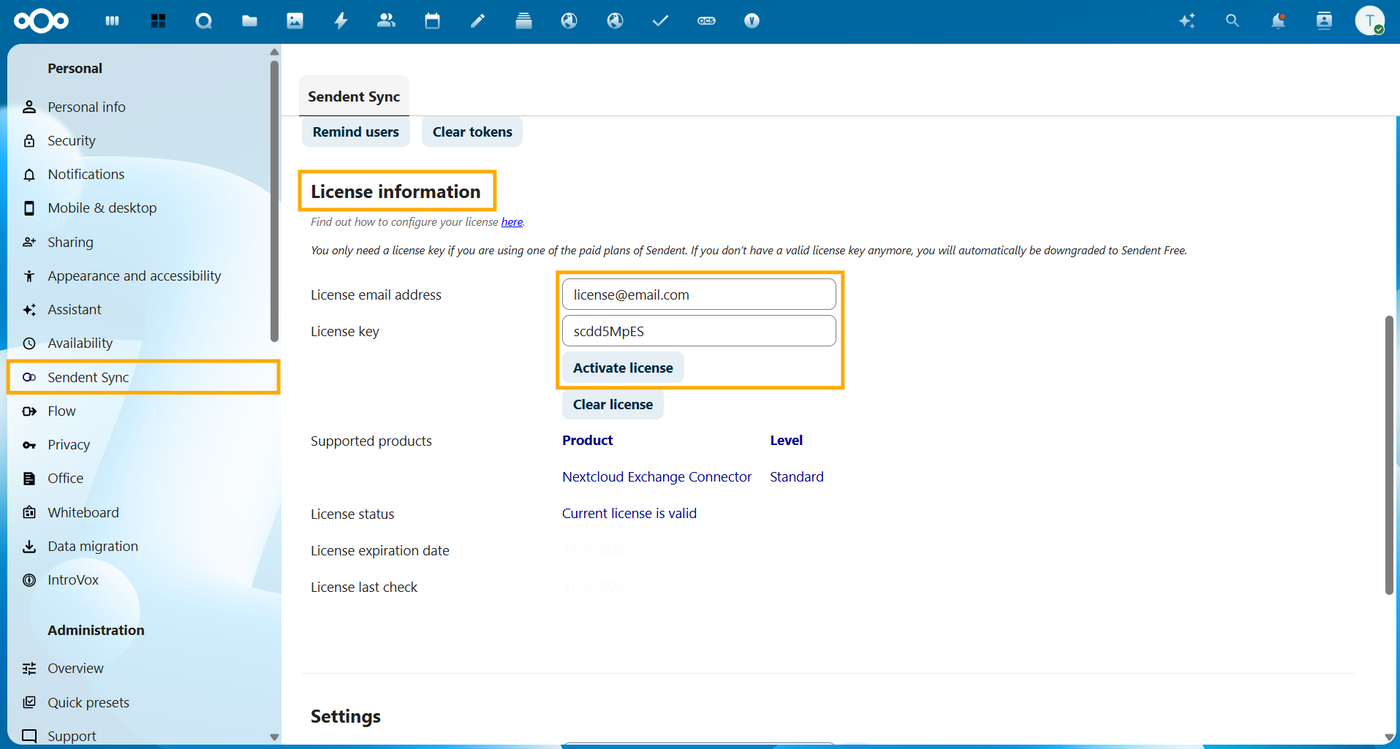
In the left-hand sidebar, locate and click on the Sendent Sync section.
Scroll down to find the License Information section.
Paste the License key provided to your License email address by Sendent.
Click Activate License.
Update License Key
You will need to perform this action when renewing your annual subscription, upgrading your tier to support more users, or applying a new key after a trial period expires.
Navigate to the Sendent Sync section in your Nextcloud Administration settings.
Locate the License Key field containing your expiring or current key.
Clear the field and paste your newly issued license key.
Click Activate License to instantly apply the new limits. You do not need to restart the external Docker containers or .NET binaries when updating the license in the Nextcloud UI.